TL;DR
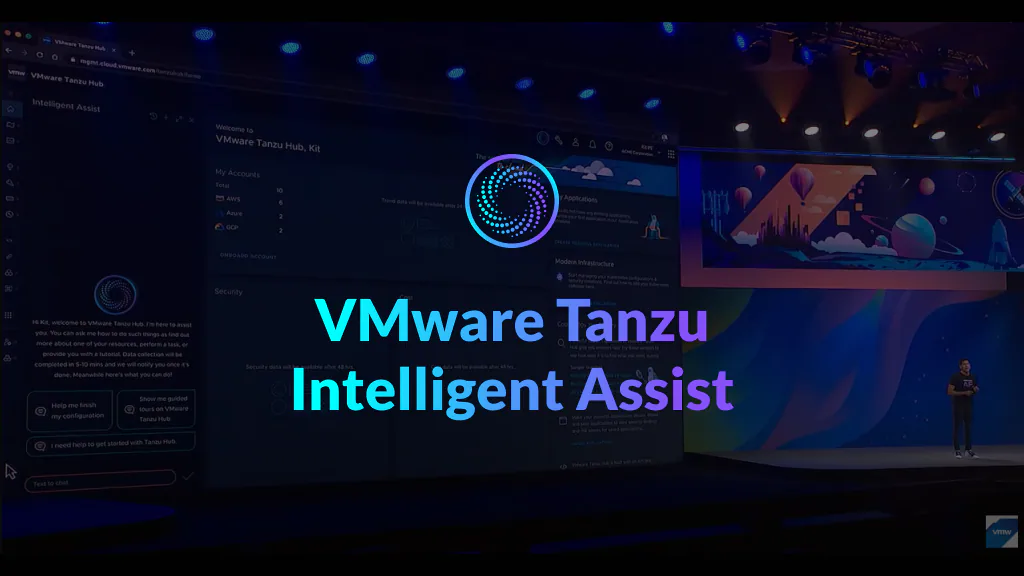
I led the UX design and user testing for Tanzu Intelligent Assist, VMware’s first generative AI assistant for multi-cloud management. In two months, I defined how the assistant should personalize complex answers, connect conversation to product actions, communicate when AI controlled the interface, and express a trustworthy enterprise personality.
From scattered cloud data to guided decisions
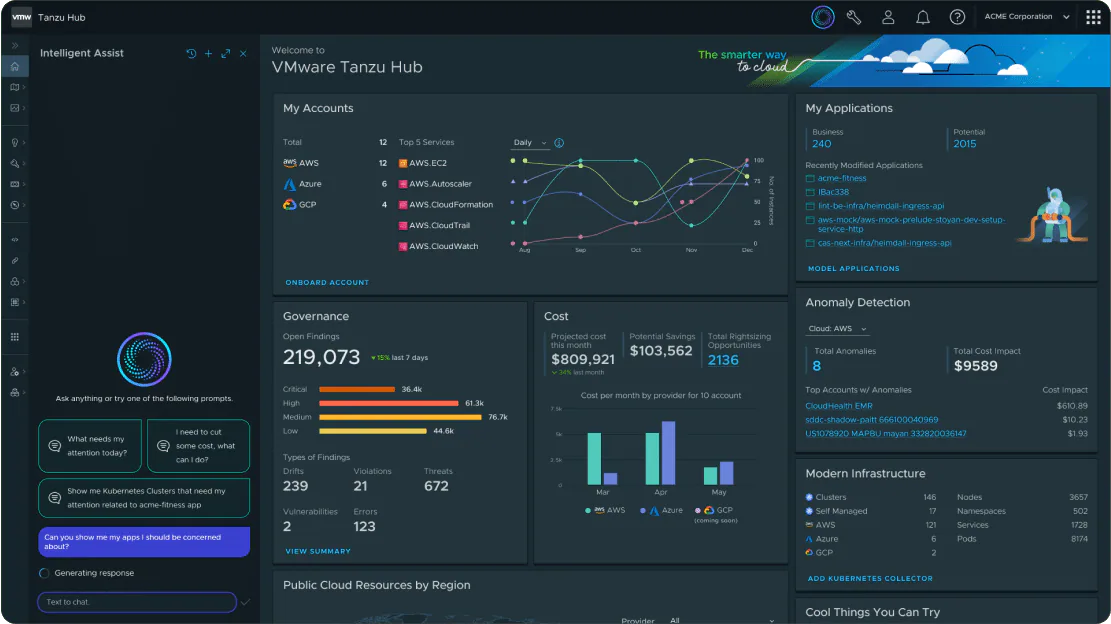
Tanzu Hub brought application monitoring, governance, security, and cost management into one platform. That breadth was valuable, but it also created a discovery problem: users could become disoriented across dense dashboards, services, and data types.
The opportunity was larger than placing a chatbot beside the product. We needed to determine how natural language could help users find relevant information, understand what it meant, and move into the right workflow without losing context or control.
My role
I worked as the design lead across the 0–1 experience. I:
- Led the end-to-end interaction and conversational UX.
- Planned and led user testing.
- Established the assistant’s personality and language principles.
- Owned reusable Gen AI patterns for the emerging design system.
- Partnered with product, engineering, and executive stakeholders.
The product debuted at VMware Explore 2023 and received more than 200 media mentions.
Designing for complex, personalized answers
Cloud management questions are rarely answered with one paragraph. An application owner may need metrics, resources, cost data, links, and next actions to diagnose an issue.
Start with the user’s context
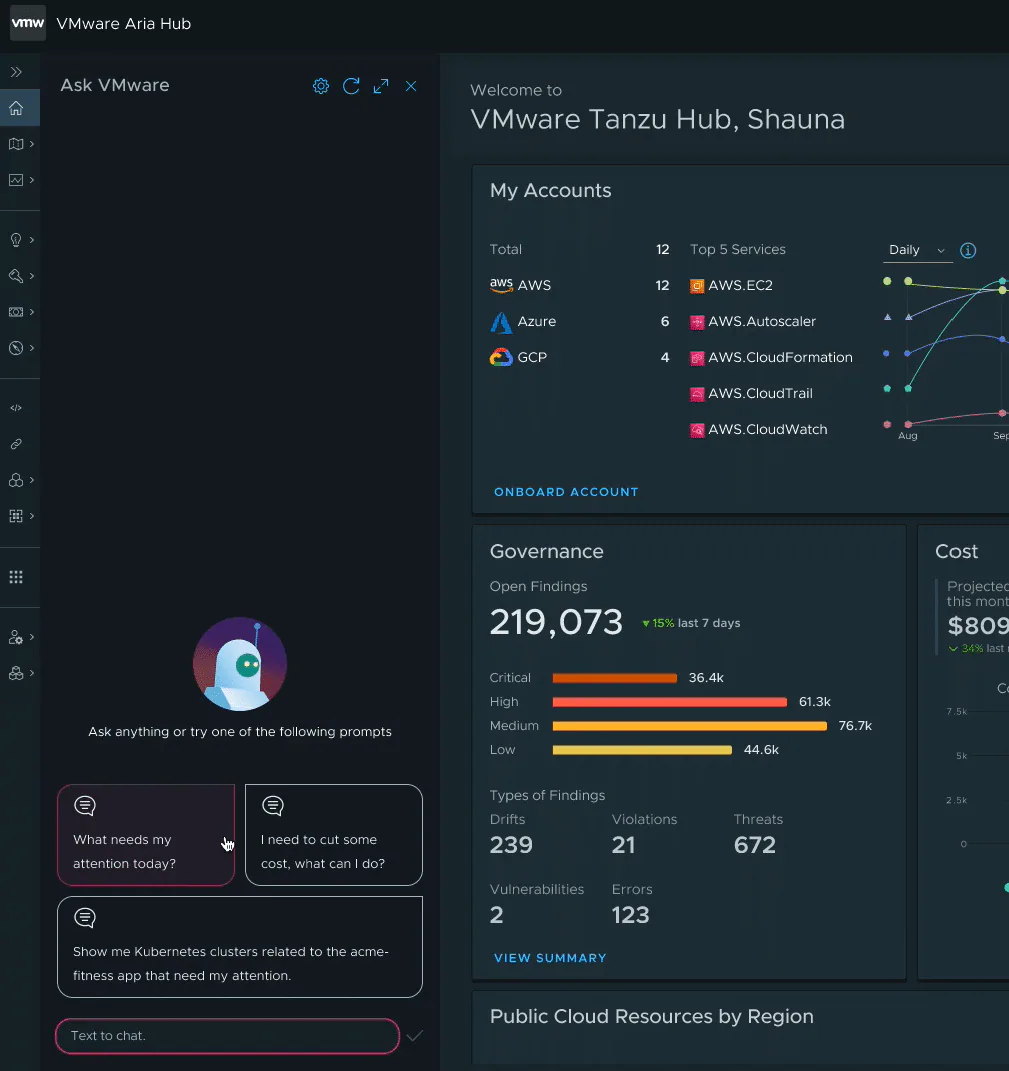
I designed the assistant around personalized prompts and answers informed by the user’s profile, interests, permissions, and current product context.
Let answers use the right medium

Rather than forcing every response into chat bubbles, the assistant could return data widgets, application preview cards, links, and other structured product objects.
Connect explanation to action
Users could open the source service directly from a response. This kept the assistant useful as an entry point while preserving Tanzu Hub as the place where detailed work happened.
The harder question: should AI control the screen?
Executive leadership challenged the team to go beyond links:
“Why not automate navigation and interaction with Gen AI?”
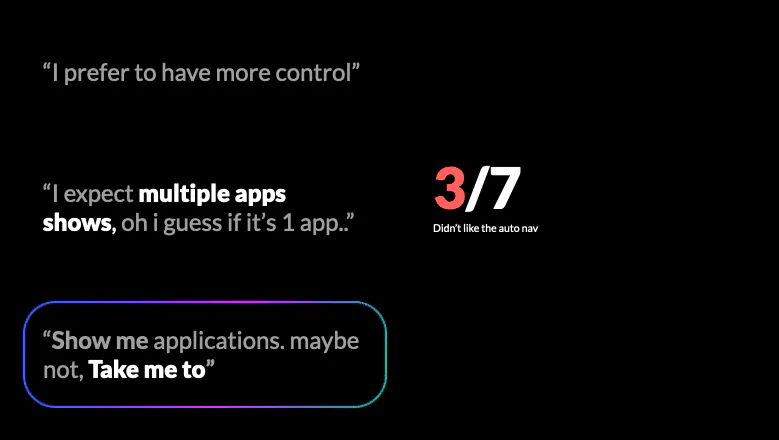
The vision was compelling, but it conflicted with signals from usability testing. Automatic navigation could save time, yet it could also surprise users, obscure what changed, and make the interface feel difficult to regain control of.
I reframed the problem:
How might we automate navigation without making users feel displaced?
Looking beyond chat interfaces
Existing Gen AI products offered limited guidance for an assistant taking control of enterprise software. I studied adjacent interaction models instead:
- TV voice control, where the system signals that an assistant is changing the screen.
- Remote screen control, where ownership can move between people but remains visible and reversible.
These references suggested three requirements: show what the AI is doing, keep a visible stop mechanism, and leave users with a clear path back.
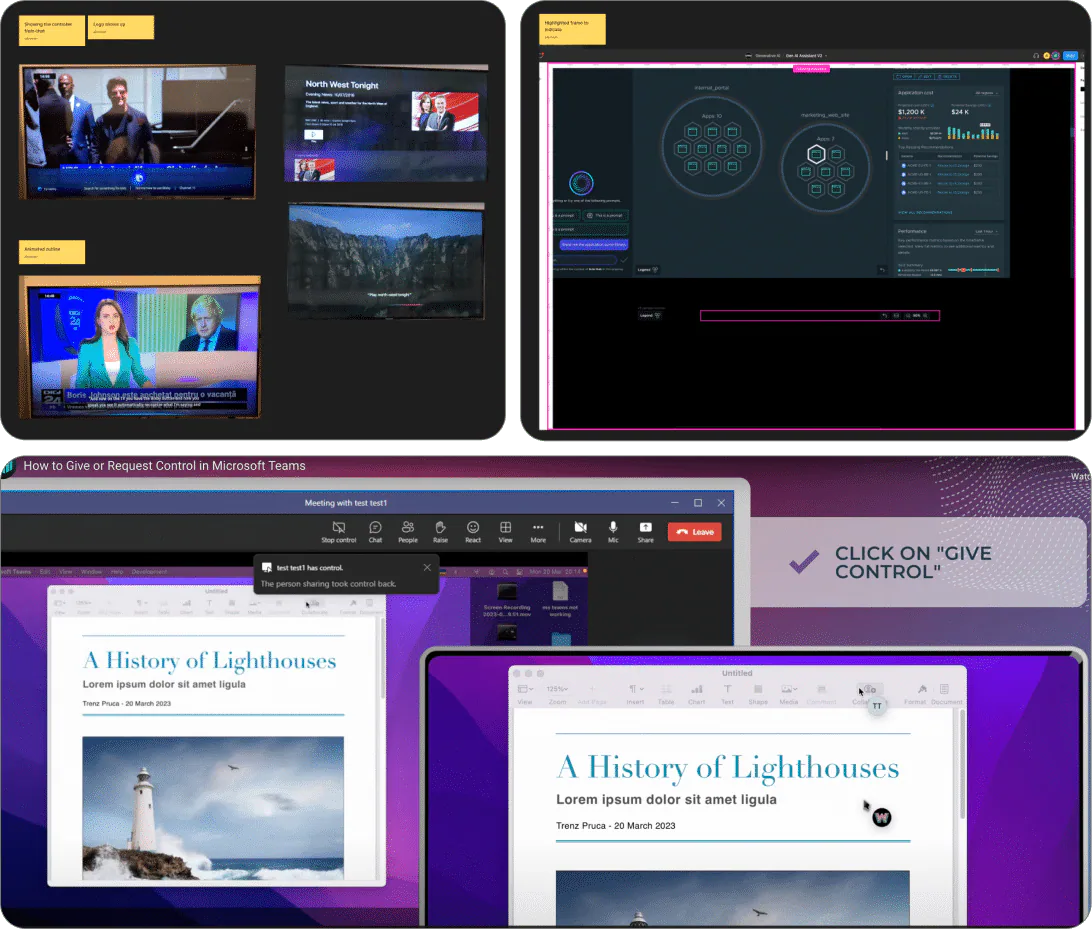
Exploring visible and reversible control
Exploration 1: log every navigation step
The first approach recorded navigation inside the conversation so users could review and revisit each step. It was understandable and reversible, but stakeholders felt it looked too conventional and did not clearly communicate that the assistant was actively controlling the product.
Exploration 2: temporary animated status
I next introduced an animated status bubble while auto-navigation was active. It made the handoff more visible and included an option to disable the behavior.
Testing revealed a timing problem: when navigation completed quickly, the control disappeared before some users could find it. The transient treatment also raised accessibility concerns.
Final direction: persistent control
The final design used a persistent floating label above the interface. It continuously communicated that AI navigation was enabled and gave users a stable place to turn it off.
The same pattern could scale beyond navigation to other AI-driven interface changes, such as applying filters.
In testing:
- 7 of 7 participants could disable auto-navigation.
- 4 of 7 participants rated the experience above 7 out of 10.
Making intent predictable through language
Not every request should move the user to a different page. “Take me to” strongly implies navigation, while “explain,” “compare,” or “recommend” often asks the assistant to stay in place and provide information.
I asked participants which phrases they expected to trigger navigation and which should not. The results gave us a clearer picture of users’ mental models and actionable language data for the engineering team to tune intent detection.
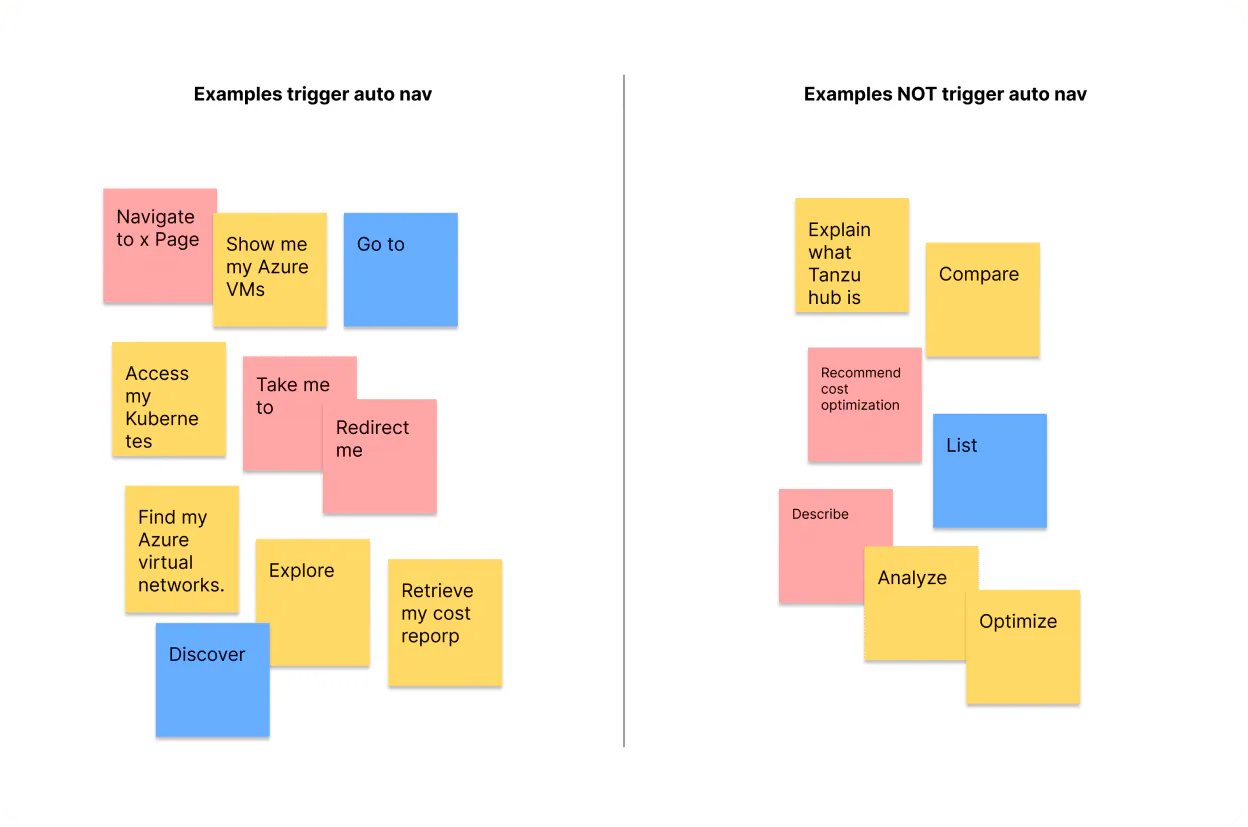
This connected interface design to model behavior: predictability depended not only on the stop control, but also on making the assistant’s interpretation of language consistent with user expectations.
Defining an enterprise AI personality
Tone became an unexpected usability issue. In an early prototype, the assistant celebrated with “Hooray.” Three participants found the expression distracting, and one described it as negatively strange.
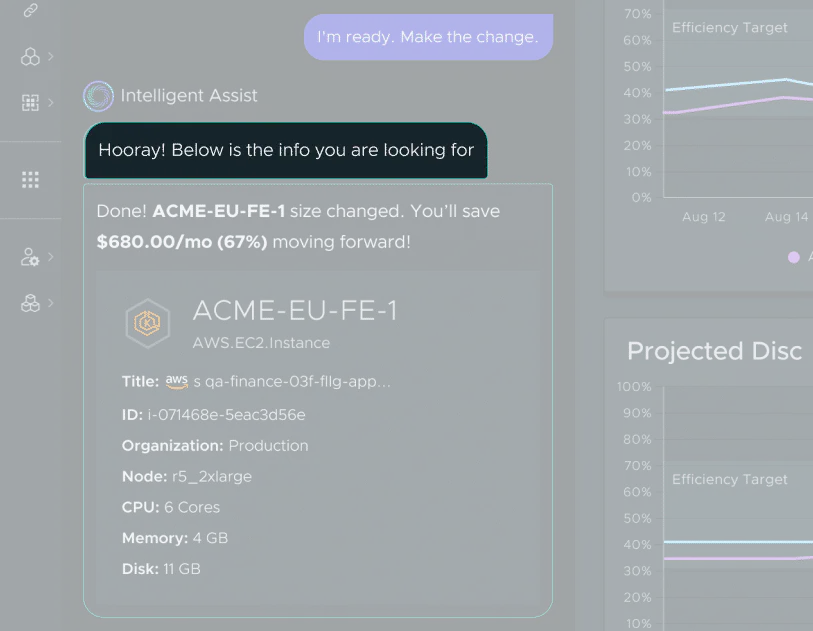
I asked participants to describe the ideal AI assistant for multi-cloud management. Although they often spoke about it like a character, their expectations converged around three traits:
- Secure
- Trustworthy
- Professional
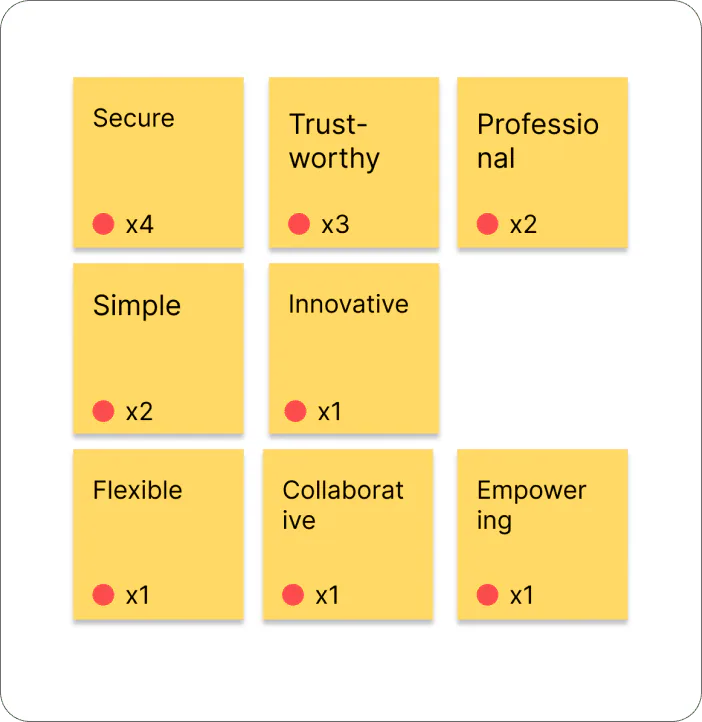
I translated those findings into a repeatable contribution process so teams could evaluate proposed language against the personality principles instead of relying on individual preference.
- 1 Identify the keywords
- 2 Users create examples
- 3 Ask copywriter to generate sample content
- 4 Test the samples
- 5 Eliminate the noise content
- 6 Hand off to dev
- 7 Feed into AI agent
Outcome
Tanzu Intelligent Assist launched as VMware’s first generative AI assistant for multi-cloud management. The work established more than a single feature:
- A response model for personalized, structured enterprise content.
- A visible and reversible pattern for AI-driven interface control.
- Language signals that connected user intent to navigation behavior.
- Personality principles and a contribution process for consistent AI communication.
The project changed how I think about AI UX. The most important moments were not where the system appeared magical. They were where its intent, authority, and uncertainty became understandable enough for users to remain in control.